Intermittent broadband
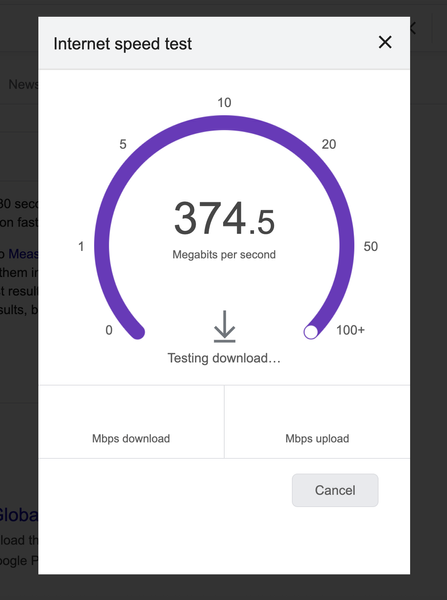
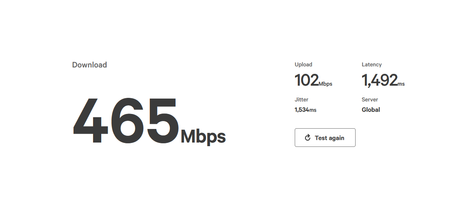
Hi, I have been a VM broadband customer for many years. I am on the M350 broadband package. Over the past week I have had frequent internet dropouts spanning multiple days. Annoyingly this is happening intermittently which makes it harder to debug. There are no known broadband issues in my area. My internet can be working fine for a good few hours but suddenly I will have no internet bandwidth on my devices and I am unable to access any web pages. When this happens the connection drops for varying periods of time ranging from a few mins to sometimes as long as an hour. When I have no internet connection there doesn't appear to be any change in the status lights on the superhub. I have the superhub 5 which I upgraded to over 4 months ago and it's been working absolutely fine until last week. The superhub is running in router mode. I connect from multiple devices over wifi and there is no difference which device im using, the problem occurs on all of them. I have tried restarting the superhub many many times. Sometimes the internet comes back when the hub reboots but often it doesn't. When the internet is working I get very fast speeds: I setup a Think Broadband broadband quality monitor a few days ago. Below you can see some graphs over the past few days... Friday had no dropped packets: Saturday had some: This morning / overnight has been terrible: I would appreciate some help to try and understand what's going on here as it's been extremely disruptive especially when im working from home. Thanks in advance475Views2likes9Comments
Hub 5 dropout
Afternoon, I recently contacted VM to discuss possibilty of obtaining a pod to assist an issue in 1 room of our house that has low wifi signal and they accepted that 1 was required, but as i refused to pay the £8 monthly charge (i don't agree with it), they then offered to upgrade my b/b to 1gig package and sent the new hub5. Since it has been about 10 days now, i am finding the Hub 5 keeps dropping signal in that my phone says connected to wifi but no internet access. Having used the VM Connect app, it does a test and says unable to connect to network but then it can connect instantly and says all is good. I have also noticed the wifi coverage is nowhere near as good as it should be in other areas of the house, rather than the 1 initial room that we had previously. In the room where the hub is, we have full strength wifi. Reading the forums now, it appears many other people have experienced similar issues with Hub5 so hopefully someone from VM can help here as the webchat option is waste of time in my experience. ThanksSolved318Views0likes13CommentsConnection keeps dropping Critical
Connection keeps completely dropping randomly for a minute every couple of minutes. I have turned off the router for a couple of minutes and turned it back on many times. Channel Frequency (Hz) Power (dBmV) Symbol Rate (ksps) Modulation Channel ID 1 36600000 43.3 5120 64 qam 3 2 23600000 45.8 5120 64 qam 5 3 30100000 43.3 5120 64 qam 4 4 43100000 43.3 5120 64 qam 2 5 49600000 43.3 5120 64 qam 1 Channel Channel Type T1 Timeouts T2 Timeouts T3 Timeouts T4 Timeouts 1 ATDMA 0 0 1 0 2 ATDMA 0 0 1 0 3 ATDMA 0 0 0 0 4 ATDMA 0 0 1 0 5 ATDMA 0 0 1 0 Channel Frequency (Hz) Power (dBmV) SNR (dB) Modulation Channel ID 1 387000000 5.8 40 256 qam 32 2 235000000 4.3 38 256 qam 13 3 243000000 4.3 38 256 qam 14 4 251000000 4.4 38 256 qam 15 5 259000000 4.3 40 256 qam 16 6 267000000 4.5 40 256 qam 17 7 275000000 4.1 38 256 qam 18 8 283000000 4.1 38 256 qam 19 9 291000000 4.6 40 256 qam 20 10 299000000 5 38 256 qam 21 11 307000000 5.4 40 256 qam 22 12 315000000 5.5 40 256 qam 23 13 323000000 5.8 40 256 qam 24 14 331000000 5.5 40 256 qam 25 15 339000000 5.6 40 256 qam 26 16 347000000 6.1 40 256 qam 27 17 355000000 6.1 40 256 qam 28 18 363000000 6.4 40 256 qam 29 19 371000000 6.3 40 256 qam 30 20 379000000 6.1 40 256 qam 31 21 395000000 5.8 40 256 qam 33 22 403000000 6.3 40 256 qam 34 23 411000000 6 40 256 qam 35 24 419000000 6.4 40 256 qam 36 Channel Locked Status RxMER (dB) Pre RS Errors Post RS Errors 1 Locked 40.9 2744 30382 2 Locked 38.9 728 309 3 Locked 38.6 708 178 4 Locked 38.9 775 104 5 Locked 40.3 729 99 6 Locked 40.3 721 112 7 Locked 38.9 883 153 8 Locked 38.9 974 146 9 Locked 40.3 672 152 10 Locked 38.9 684 160 11 Locked 40.3 533 213 12 Locked 40.3 562 159 13 Locked 40.3 517 140 14 Locked 40.3 601 143 15 Locked 40.9 634 175 16 Locked 40.9 564 230 17 Locked 40.3 716 214 18 Locked 40.9 624 140 19 Locked 40.9 676 110 20 Locked 40.3 789 1948 21 Locked 40.3 833 69 22 Locked 40.9 617 71 23 Locked 40.9 1077 1287 24 Locked 40.9 925 2 Time Priority Description 22/01/2026 23:33:31 notice LAN login Success;CM-MAC=**:**:**:**:**:**;CMTS-MAC=**:**:**:**:**:**;CM-QOS=1.1;CM-VER=3.0; 22/01/2026 23:33:28 Warning! LAN login FAILED : Incorrect Username / Password / ConnectionType;CM-MAC=**:**:**:**:**:**;CMTS-MAC=**:**:**:**:**:**;CM-QOS=1.1;CM-VER=3.0; 22/01/2026 21:39:15 Warning! RCS Partial Service;CM-MAC=**:**:**:**:**:**;CMTS-MAC=**:**:**:**:**:**;CM-QOS=1.1;CM-VER=3.0; 22/01/2026 17:22:21 critical SYNC Timing Synchronization failure - Loss of Sync;CM-MAC=**:**:**:**:**:**;CMTS-MAC=**:**:**:**:**:**;CM-QOS=1.1;CM-VER=3.0; 22/01/2026 16:53:17 critical No Ranging Response received - T3 time-out;CM-MAC=**:**:**:**:**:**;CMTS-MAC=**:**:**:**:**:**;CM-QOS=1.1;CM-VER=3.0; 22/01/2026 16:20:33 critical SYNC Timing Synchronization failure - Loss of Sync;CM-MAC=**:**:**:**:**:**;CMTS-MAC=**:**:**:**:**:**;CM-QOS=1.1;CM-VER=3.0; 22/01/2026 14:48:46 notice LAN login Success;CM-MAC=**:**:**:**:**:**;CMTS-MAC=**:**:**:**:**:**;CM-QOS=1.1;CM-VER=3.0; 22/01/2026 08:03:33 critical SYNC Timing Synchronization failure - Loss of Sync;CM-MAC=**:**:**:**:**:**;CMTS-MAC=**:**:**:**:**:**;CM-QOS=1.1;CM-VER=3.0; 21/01/2026 07:22:50 critical No Ranging Response received - T3 time-out;CM-MAC=**:**:**:**:**:**;CMTS-MAC=**:**:**:**:**:**;CM-QOS=1.1;CM-VER=3.0; 20/01/2026 07:06:42 critical SYNC Timing Synchronization failure - Loss of Sync;CM-MAC=**:**:**:**:**:**;CMTS-MAC=**:**:**:**:**:**;CM-QOS=1.1;CM-VER=3.0; 19/01/2026 18:27:29 notice DHCP Renew - lease parameters tftp file-cmreg-vmdg505-bbt060-b.cm modified;CM-MAC=**:**:**:**:**:**;CMTS-MAC=**:**:**:**:**:**;CM-QOS=1.1;CM-VER=3.0; 19/01/2026 18:27:29 Error DHCP RENEW WARNING - Field invalid in response v4 option;CM-MAC=**:**:**:**:**:**;CMTS-MAC=**:**:**:**:**:**;CM-QOS=1.1;CM-VER=3.0; 18/01/2026 21:16:32 critical SYNC Timing Synchronization failure - Loss of Sync;CM-MAC=**:**:**:**:**:**;CMTS-MAC=**:**:**:**:**:**;CM-QOS=1.1;CM-VER=3.0; 18/01/2026 16:08:14 critical No Ranging Response received - T3 time-out;CM-MAC=**:**:**:**:**:**;CMTS-MAC=**:**:**:**:**:**;CM-QOS=1.1;CM-VER=3.0; 17/01/2026 18:09:18 critical SYNC Timing Synchronization failure - Loss of Sync;CM-MAC=**:**:**:**:**:**;CMTS-MAC=**:**:**:**:**:**;CM-QOS=1.1;CM-VER=3.0; 17/01/2026 16:23:40 Warning! RCS Partial Service;CM-MAC=**:**:**:**:**:**;CMTS-MAC=**:**:**:**:**:**;CM-QOS=1.1;CM-VER=3.0; 16/01/2026 16:17:29 critical SYNC Timing Synchronization failure - Loss of Sync;CM-MAC=**:**:**:**:**:**;CMTS-MAC=**:**:**:**:**:**;CM-QOS=1.1;CM-VER=3.0; 16/01/2026 15:01:38 critical No Ranging Response received - T3 time-out;CM-MAC=**:**:**:**:**:**;CMTS-MAC=**:**:**:**:**:**;CM-QOS=1.1;CM-VER=3.0; 16/01/2026 14:51:46 Warning! RCS Partial Service;CM-MAC=**:**:**:**:**:**;CMTS-MAC=**:**:**:**:**:**;CM-QOS=1.1;CM-VER=3.0; 16/01/2026 07:17:46 critical SYNC Timing Synchronization failure - Loss of Sync;CM-MAC=**:**:**:**:**:**;CMTS-MAC=**:**:**:**:**:**;CM-QOS=1.1;CM-VER=3.0;80Views0likes1CommentDiversity in Virgin Media Engineering team
We had issues with our WiFi when we first set up the Virgin Media router. Engineer Louise (62290) visited our home, and she was absolutely fantastic. She carefully identified the problem inside the house and then went on to fix the cabling in the street cabinet. Louise was incredibly knowledgeable and genuinely committed to ensuring that every part of our home had strong WiFi coverage — and she succeeded. It was also wonderful to see a female engineer representing Virgin Media. As a woman working in software development, I know what it’s like to be in a male‑dominated environment, so being supported by the brilliant Louise 62290 was especially meaningful. Her professionalism and dedication truly made a difference.All surrounding streets have Virgin Media with FTTP except mine
Hello! I live in London, and I have been waiting for fibre for several years. I have checked the fibre rollout map and it looks like in my area, Virgin Media is the only provider available for FTTP, openreach has plans to build but the entire area does not have openreach at all. I currently have FTTC (fibre to the cabinet) with BT but I have not renewed contract in the hopes that I would get fibre by 2026. It's now nearly the end of January and still not a single update since the beginning of last year. Upon further research, I found out that literally all streets surrounding mine has full fibre with virgin media available except mine, which is incredibly frustrating. I have filled out interest forms before but no luck. The only information that I have is that fibre is "planned" but honestly by the time Openreach comes I most likely won't even live here anymore. Is there any way to contact somebody at Virgin Media to come take a look at a possible connection? It's literally a 10 second walk from my street to the one that has fibre, and I believe my other neighbours would most likely sign up as well.SolvedMoved home, account not activated, and account inaccessible. No WiFi 2 days in.
I’ve recently moved home and had let virgin media know ahead of time. The place already has Virgin installed so only required a quickstart and I brought my equipment with me. Day 1, no WiFi, no option to activate. Called CS they advised 24 hours. 24 hours go by, no WiFi. call again, CS refused to proceed with the conversation because of security questions around the new account that I’ve received no letters/correspondence for. Can’t confirm the bill amount or due date as the account isn’t even showing in My Virgin Media, only my old account showing as closed. rang back 10 minutes later and this time they were happy to speak and put me through to a manager without the security questions for the new property. Advised the kit was still active at old address and they would manually transfer and would only take a few hours. Another 24 hours later still nothing. I have no WiFi, and I can’t talk to anyone about it because I can’t confirm the details of an account I’ve never seen or had access to. has anyone else had similar issues with moving home? Anyways to navigate the abhorrent customer service team?
Installation Delays from November 2025 to January 2026 – Urgent Help Needed
Dear Virgin Media Team and Community Members, I am posting this detailed report to highlight the significant delays and poor communication I've experienced with my broadband installation. As a new customer, I expected a smooth process, but it's been anything but. I'm hoping an official VM representative can investigate my case urgently, provide a firm resolution, and confirm compensation details. Below is a comprehensive overview of the situation, including timelines, communications, and impacts. Contract and Order Details: - Service Address: Eastleigh, SO50 - Contract Summary Sheet Created: 6th November 2025 - Contract Summary Sheet Number: 100387XX1587 - Minimum Contract Length: 24 months - Services Ordered: M500 Broadband (Full Fibre Connection) + Netflix Standard with Ads - Broadband Speeds (as per contract): Advertised: Download 516 Mbps / Upload 52 Mbps Normally Available: Download 498-542 Mbps / Upload 48-52 Mbps Minimum: Download 258 Mbps / Upload 26 Mbps Detailed Timeline and Delays: - 6 November 2025: Originally promised completion around this time after contract signed on 6th Nov. - Mid November 2025: Surveyor visited and identified "additional/extra work" needed near roadside and request complete way leave application form - 4th December 2025: First rescheduled installation date – missed, no show. Reason given: extra work on outside. There is completed the wayleave form and returned - 18th December 2025: Second rescheduled date – again delayed with same "extra work" excuse. - Current (31st December 2025): Now pushed to 10th January 2026. Still no progress, no permit details, no subcontractor info. I've called Pre-Install Team (0800 052 1734) and Customer Services (0345 454 1111) multiple times – always "waiting on contractor" or "extra work required". I've checked Hampshire Council and one.network myself – no VM roadworks permits listed for my postcode. Interim Solution Issues: VM suggested using a broadband dongle or extra SIM card. I purchased one as advised, but signal in SO50 area is extremely poor – frequent drops, low speeds, completely unusable for Work from Home (Zoom/Teams calls impossible). I've told VM this multiple times. They verbally promised reimbursement for my costs and compensation, but nothing in writing yet, and no clear amounts or dates. Impact: This has caused major disruption to my work-from-home setup, extra costs, and a lot of stress. The repeated missed dates and vague excuses are unacceptable. Compensation Expectations: Under Ofcom Automatic Compensation: - Missed appointments: £31.19 each time - Delayed start: £6.24 per day from first missed promised date This already adds up to a significant amount. Interim dongle does NOT reduce this entitlement as it's inadequate. I also want full separate reimbursement for my SIM/dongle costs. Requests: 1. Please urgently review order and provide written confirmation (email or PM) of: - Exact reason for delays and "extra work" - Firm installation date (no more changes) - Subcontractor details and any permit status 2. Confirm full Ofcom automatic compensation calculation and credit timeline 3. Confirm reimbursement process for my interim costs 4. If this cannot be resolved soon, provide penalty-free cancellation option Any advice from others in Eastleigh/Hampshire with similar driveway or delays work? How did you get it resolved or claim compensation? Thank you – really hoping the VM team can step in and sort this quickly. Best regards, AlexSolved820Views0likes18CommentsHub 5 high latency and jitter
This issue only started last week. I noticed I couldn't stream BBC radio stations at 320kbps without constant stops and starts. My Hub 5 is in modem mode connected to a TP Link router and I also noticed the router ethernet LED frequently changing from green to orange. I contacted Virginmedia who said they couldn't find any faults using their speed test because the Hub was in modem mode. I ran the Cisco Real Speed test myself and found very high latency and jitter. after unplugging the Hub for a minute or so (a very quick on/off didn't fix the issue) my latency levels were back down to around 20-25ms and I was happy. Until today when the same symptoms appeared. This time I checked the speed directly at the Hub 5 ethernet output so Virginmedia couldn't blame my router and here are a few measurements I then switched off the Hub for a minute and after restart I measured this So what is going on. I do not want to have to unplug the Hub every few days and the first warning I get of the issue is my morning alarm streaming Radio 2 fails to go off.175Views0likes1CommentResidential address registered as business
Hi, I have been told my address is currently registered as a business address. It’s a 5 bedroom detached property, there is no business here. Customer service and sales have said that they can manually override this, (which is what they have done in the past as there is Virgin HBB and tv currently live at the address), but I would really rather it be changed to residential to avoid having to jump through these hoops! Thanks, Emma