Email address linked to old account
I have just rejoined Virgin Media. I am still using the same email address as my old account. This therefore means that every time I login to My Virgin Media App I’m met with my old deactivated account meaning I can’t make an changes, or see any of my new account details or package contents. Can you help please?58Views0likes1CommentMemorable password issue
I cant get a memorable password, I try to update it but all it says is try again later, idk what the issue is but the only solution ive been given is to be sent a letter which ive requested now 2 times and never arrived, at this point i dont know what to do because i cant do anything without this password, please help otherwise ill be forced to lock all payments to virgin media127Views0likes4Comments"Something has gone wrong on our side"
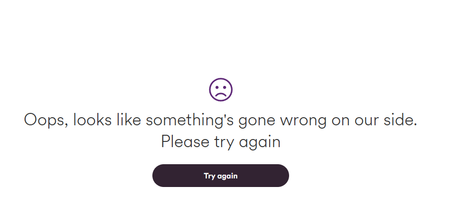
I recently joined virgin broadband and when i went "manage my settings" primarily turn parental control off its comes up with the following, no matter what app i try or if i try on my phone or PC. For note the WIFI was installed on the 17/11/25 At first i thought it was just a one night thing but nearly a week later with no service outages i dont understand ( wifi is working fantastically well in term of speeds)149Views0likes6CommentsPoor Wi-Fi - how do we get the pods we are entitled to!?
I am having trouble with my internet speed / connection and have called virgin multiple times to try and get the Wi-Fi booster pods that we are entitled to as it’s in our package and each time we have rang no one is listening or willing to send us our pods. How else can we request these please!? Fed up of not being able to watch anything on tv due to poor Wi-Fi upstairs41Views0likes1CommentOld email address hacked
I left virgin media over 2 years ago and thought my associated email account would be shut down after 90 days. unfortunately I have just realised it hasn’t and has now been hacked and I am locked out of it. I need help to get this closed down urgently please. Thank you47Views0likes1CommentAdding Services via My Virgin Media app
I decided to add the Sky Sports and TNT Sports offer (£39 a month for 24 months) via the My Virgin Media app 6 days ago and received an e-mail confirmation with my order number. However, the channels have not been added to my 360 box nor was I told how long it would take.Solved138Views0likes1Comment
Unable to login to VMConnect, MYO2, or any VM apps
Struggled to log in to my desktop VM site, and email on desktop and phone. Eventually managed to sort that, but now I can't login to MYO2, VMConnect etc on phone. Keeps asking for a passkey. I've enabled my Google account passkey, but can't set one up for VM or O2 related apps. I've tried using a different verification method, and get an email sent to me to verify. However, when I click the verify button, it still doesn't work. Can anyone help?Solved463Views0likes7CommentsUnable to log in to my virgin media account. When linking to O2 it says email dosn't match.
Hello, I am a new customer and I am unable to log in to my virgin media account. When I click sign in it says : ''Sorry, you can't access this page''. Then it tells me to link my virgin media account to my o2 account, then it tells me that they have found my account but the email adress dosn't match. Please help.380Views0likes6CommentsUnable to see new account in app after moving house
Hi, I moved house 4 weeks ago, my account is still showing my old account (closed) and i cannot see my new account, can someone please help, I tried to register new account under a different email address however I get an error message "oops something went wrong", thanks73Views0likes1CommentNew Customer Virgin App
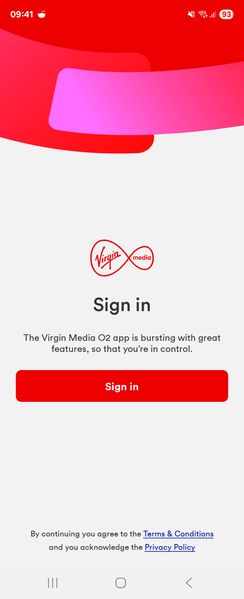
Morning all, Just looking for some help please as cannot see anything online and i think i might be loosing the plot. This is my first month with Virgin, which has been good apart from the Virgin app for my mobile is in a constant loop at the sign in page (below, if i click sign in it just comes back to the same screen) - i have not been able to use it and have tried the usual delete cash, clear history and delete and redownload but I am just stuck on this screen constantly. I can access the router via the direct url but i wanted to use the app to access the additional features. Is this something which needs to be verified by Virgin, as i doubt its because im on a samsung. Thanks in advance. NickSolved140Views0likes3Comments