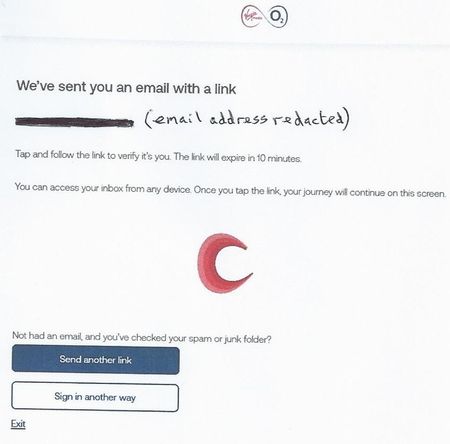
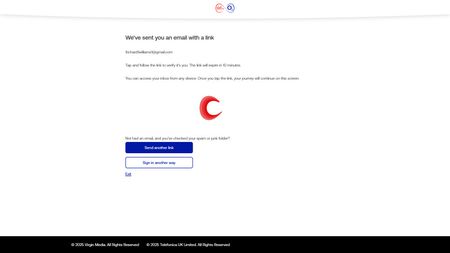
ContributionsMost RecentMost LikesSolutionsRe: Locked Out Of Blueyonder.co.uk Email Account Thanks for your offer to help, Steven_L. I have been without access to my blueyonder account for ten days and have begun to alert my contacts etc to contact me via my new GMail address. The account still exists so that anyone sending an email to my blueyonder account does not get a bounce back and would assume that it is still OK. It's a problem when a bank etc sends a code to my old email address (which I can't access) to confirm my new address. I have had the blueyonder account ever since Virgin Media took over NTL-Telewest back in 2007 so that I would like to be able to access my account to archive emails. I will keep a look out for your message to contact you. Best wishes DifferentLogin Re: Locked Out Of Blueyonder.co.uk Email Account Hi Graham_A, sadly this does not work. I have posted a reply several times showing the screenshots of what happens BUT the ignorant VM overseers keep taking my replies down even though I have redacted all the sensitive information from the screenshots. VM are just hopeless! In place of the screenshots, I have therefore given the gist of the text they contain. Hopefully, VM won’t delete my response this time. Sign into the My Virgin media account for the email concerned with your VMO2ID ✔OK Select Account Settings ✔OK Select Identity & Security Settings ✔OK Select Manage your products ✔OK This leads to the following screen: (‘We’ve sent you an email with a link *******@gmail.com Tap and follow the link to verify it’s you. The link will expire in 10 minutes. You can access your inbox from any device. Once you tap the link your journey will continue on this screen’). In my Gmail account, I receive this from VM: (‘Hello. Verify it’s you by tapping the button below. Verify it’s me. Remember this link will only be valid for the next 10 minutes’) Clicking on 'Verify it's me' leads to: (‘Your email address has been verified. Please return to the screen you started your journey in’) Returning to VM, this shows: (‘Sorry something went wrong. Please go back and try again. Try again’) Clicking on the 'Try again' button just goes through the whole cycle again and gets nowhere. It's the same result whether I use Firefox, Edge or Opera. I've had two 40 minute call backs and one 20 minute call back from the VM Indian call centre and have got absolutely nowhere. Re: Locked Out Of Blueyonder.co.uk Email Account Hi Graham_A, sadly this does not work. Sign into the My Virgin media account for the email concerned with your VMO2ID ✔OK Select Account Settings ✔OK Select Identity & Security Settings ✔OK Select Manage your products ✔OK This leads to the following screen: In GMail, I receive this from VM: Clicking on 'Verify it's me' leads to: Returning to VM, this shows: Clicking on 'Try again' just goes through the whole cycle again and gets nowhere. It's the same result whether I use Firefox, Edge or Opera. I've had two 40 minute call backs and one 20 minute call back from the VM Indian call centre and have got absolutely nowhere. Re: Locked Out Of Blueyonder.co.uk Email Account Hi Graham_A. Sadly, this does not work. Sign into the My Virgin media account for the email concerned with your VMO2ID OK Select Account Settings OK Select Identity & Security Settings OK Select Manage your products OK This leads to the following screen: which sends a link to my VMO2ID (GMail) account: Clicking the Blue 'Verify It's Me' button leads to: Returning to my VM account, this page shows: Sadly, clicking on 'Try again', just goes through the same cycle Locked Out Of Blueyonder.co.uk Email Account I have been unable to get into my VM email account for 5 days. I just keep getting the 'Forbidden' page. On day #2 I had a callback lasting about 40 minutes where I was repeatedly taken through the Account Settings/Identity & Security Settings/ Manage Your Products route to verify my GMail address but this accomplished nothing - kept going round in circles with the 'Try Again' message. On Day #3, I had a callback lasting about 20 minutes where I was taken through the Account Settings/Identity & Security Settings/ Virgin Media O2 ID route to verify my GMail address and change my account password but this accomplished nothing either - just get the 'Forbidden' message, as before. The new password lets me get into my account to view bills but I still can't access my e-mail, so no progress. Day #4 – no further callback from VM. What will Day #5 bring? Is there anyone out there who can educate the VM call centre guys and provide a solution, please? Scam Virgin Media No. 07[REMOVED] (?) I received a phone call from 07[REMOVED] this morning (02 October 2024), claiming to be Virgin Media. Sounded like a scam to me. So could you please check whether or not it is your number and deal with it if i is not. Thank you [MOD EDIT: information has been removed from this post.