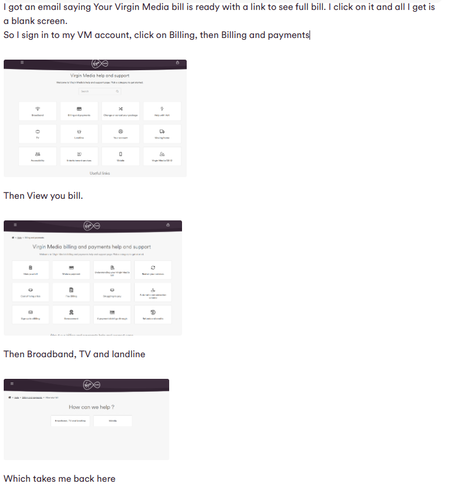
ContributionsMost RecentMost LikesSolutionsRe: Connecting to WiFi Pod If there was a decent signal I wouldn't need the pods. Connecting to WiFi Pod I have a security camera in my shed with a very weak connection. There’s also a pod in the shed, but instead of connecting to it, the camera connects to the hub in the house over 20 feet away. Is there a way to get the camera to connect to the pod? Re: How do I see my bill? Thanks for your help, I was signing in with secondary account. I was trying trying to use main account but it wouldn't accept the password. Turned out there was a space that shouldn't have been there. I didn't think spaces were allowed in passwords! Re: How do I see my bill? I sign in, click on the hamburger menu, then Billing, which opens Virgin Media Help and Support. I click on Billing and Payments, and it takes me to the Virgin Media Billing and Payments Help and Support page. I click on View My Bill, which opens the How Can We Help? page. Then I click on Broadband, TV, and Landline, and it loops back to the Virgin Media Help and Support page. This just goes round in circles. I've tried with Firefox and chrome and the app all the same. Re: How do I see my bill? That's where I start from How do I see my bill? SolvedRe: Regularly have to reboot Hub 3 You're not very insightful. All your assumptions are wrong. Now my reply was to Molly_T, so please let her answer. Thank you. Re: Regularly have to reboot Hub 3 The hub runs smoothly for weeks, sometimes even months, but eventually the signal strength on my devices starts to drop, prompting me to reboot it. That usually fixes things, but not always. Checking the VM Connect app shows the pods are either disconnected or have weak signals. Rebooting a WiFi pod never works, so I end up removing it. When I try to reinstall, it asks me to assign it to a room but won’t allow it since it’s already assigned there. I get around it by swapping the pods, which works—until the problem comes back. It’s frustrating, especially since my son’s been with Vodafone for over a year without any issues. Regularly have to reboot Hub 3 Every few months, I have to reboot my Hub 3, then my WiFi pods disconnect and refuse to reconnect. I end up swapping them around because when setting them up, you have to assign them a location, even though they already have one. Does anyone else have this problem? Roll on July when my contract runs out. Re: WiFi pod problem How has these 2 post been put together