COD MW3 Disconnect HUENEME-CONCORD
Error message also reported as "Invalid Socket Family Settings [Reason: HUENEME-KOGALNICEANU] The error really started happening some months ago when I switched from Sky copper broadband to VM fiber. At the time I had a couple of other PC issues which I have resolved with upgrades but the above remains every time I start up MW3. I go into the game, whether its MW3 MP or Zombies, and around 5 minutes 30 seconds the game searches for an update and disconnects with the above message. I have tried everything from verifying files to replacement of net adapter drivers, MTU changes to 1480 from default of 2000, cache deletions, Firewall & Norton Protection removed, DNS changes and re-installs and the only thing I can't test is bypassing the VM router for phone hotspot. AI tells me to put the VM router into Modem Mode but I can't see to do that on a Hub5. So my question is: 1, Is there a known routing issue with certain games like CoD MW3 and the VM network? 2, Can I put the VM router into Modem Mode to test if its a router setting? 3, Is there a fix that is blocking MW3 servers causing the connection issue?384Views0likes8CommentsPing spikes
“Hi all, I’m seeing constant ping spikes and jitter when playing EA FC 26. My normal connection seems fine: 500 pings to 8.8.8.8 show 0% packet loss and ~15 ms average. But in-game, my ping jumps constantly, making online play unplayable. Seems like a routing issue to EA servers. Has anyone else seen this? Any tips or fixes?”228Views0likes2CommentsEthernet, gaming problems
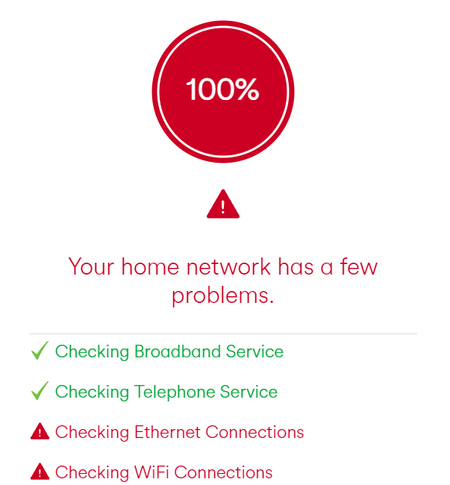
Hello all, I recently got a new router put in the house and I ran a diagnostics test the other day to see why my game input felt slightly delayed for my gaming pc. It turns out there is a problem with the ethernet (and wifi)? I use tp links could this just be the problem although they seemed to be fine with the old router.659Views0likes3Comments