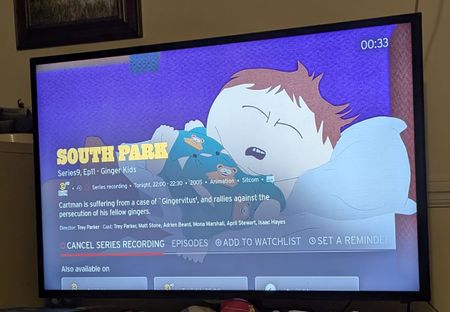
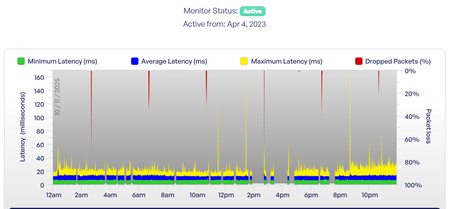
ContributionsMost RecentMost LikesSolutionsRe: [Hub 5] Recurring T3 Timeouts causing intermittent connection drops - Log attached I can't attach a PDF either Mod Edit : Personal information removed Re: [Hub 5] Recurring T3 Timeouts causing intermittent connection drops - Log attached This post has my screenshots of the broadband quality monitor https://community.virginmedia.com/discussions/Wireless/hub-5-recurring-t3-timeouts-causing-intermittent-connection-drops---log-attached/5681001/replies/5681625 Re: [Hub 5] Recurring T3 Timeouts causing intermittent connection drops - Log attached Interesting my reply with requested info does not post - the logs you mentioned are in that spreadsheet Re: [Hub 5] Recurring T3 Timeouts causing intermittent connection drops - Log attached Further logs attached here Re: [Hub 5] Recurring T3 Timeouts causing intermittent connection drops - Log attached I didn't notice any issues - I have a think broadband monitor configured - do the dropped packets point to my issue? Yesterday 10 Nov Sun 09 Nov Sat 08 Nov Fri 07 Nov Thu 06 Nov [Hub 5] Recurring T3 Timeouts causing intermittent connection drops - Log attached I am experiencing intermittent connection drops multiple times a week. I have extracted the router log from my Hub 5 and can see consistent critical T3 timeout errors. This suggests a fault with the signal levels or connection stability to the CMTS. Can the VM team please investigate the line quality for T3 timeout issues? Device Details: Equipment: Virgin Media Hub 5 Cable MAC: 9C:24:72:XX:XX:XX (The full, non-anonymised version is best for staff). Log Snippet showing T3 Errors: 2025-11-05 02:04:13,critical,Cable Modem Reboot because of - unknown 2025-11-04 07:33:10,critical,Started Unicast Maintenance Ranging - No Response received - T3 time-out;CM-MAC=9c:24:72:XX:XX:XX;CMTS-MAC=18:59:f5:25:f4:ec;CM-QOS=1.1;CM-VER=3.1; 2025-10-29 18:49:49,critical,Started Unicast Maintenance Ranging - No Respo Full log with anonymised MAC address Re: [Hub 5] Recurring T3 Timeouts causing intermittent connection drops - Log attached text deleted for clarification EPG wrong - can't record South Park S27 EP2 And of course there's no manual recording option. How can I remedy? TvGuide says the show will go out Thu 31 Aug 22:00 - I trust this as Ep1 last week went out in this slot. Next weeks Episode (EP3) is in the schedule 360 Box has this Voice command - subitles on/off option Well that was weird - from 22:00 to 00:10 subtitles voice commands did not work on my V6 box. Skip forward four minutes worked no problem the whole time Did a reboot of the box didn't make a difference Anyone have any idea of cause and effect? Re: Audio Sync problem with new 360 box I worked for a vendor to TV companies all over the world. The technical standards people (in the UK ofcom) would be all over that. I delivered numerous updates to the video playback servers to address the precise audio video sync issues. Interestingly if the sound leads the video by up to about 10 frames most people won't notice as much; as when the sound lags the video by about 4 frames. Broadcasters have test media with a 1 frame flash and sound pulse every 10 seconds for 1 hour to verify sync and drift. I regularly watch Hallie Jackson on MSNBC now, VM channel 614. The audio on that channel is usually out of sync, In TV there's an expression It was alright leaving us and I can imagine the signal leaving NBC at 30 Rockefeller Plaza, New York is right. I Imagine the signal is delivered to Virgin by some low cost IP transport route and something in that chain causes the audio to drift in the coding/decoding processes. I'd complain but honestly life is too short. If you are interested in verifying the sync the youtube APP might be a useful place to go select one of these videos and see if the problem presents