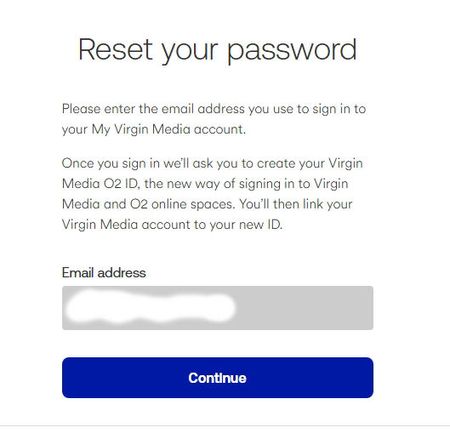
ContributionsMost RecentMost LikesSolutionsRe: Changing email password Thanks Lee Not sure why I marked this as solved as it's anything but :( I only use email in Outlook, but yes, I've no way of accessing any of these 'legacy' emails on the website either. AI usefully told me that I need to ask VM this exact wording - figured I'd do it here before trying to phone; “I have a legacy ntlworld email address that is no longer linked to my Virgin Media account. The password‑reset page does nothing. Please re‑associate this mailbox with my active account so I can reset the password and generate an app password.” Is that something I would maybe need to phone to sort out instead tho? Re: Changing email password Not sure of that. Before these changes I basically had 3 ntlworld emails incl this one, the first of which is my primary a/c - I'd added the other 2 on later. But if I go in under my primary email that's the only one I can change to an app password for. It said I needed to login under each email to get the app p/w for them & that's where this problem has arisen. I've tried some fixes - clearing caches & cookies etc for the site to no avail. I can live without the 3rd email, but this one is pretty important. Not sure why it won't let me use my old p/w to start with tho! So frustrating :( Thanks. Re: Changing email password Image I should have provided first time around - apologies to Admin :) Changing email password I've just reinstalled Outlook & so now need to get an App p/w for this email, but the system refuses to let me do it - every time I click on "Continue" nothing happens. [MOD EDIT: Image removed as contained personal info] Anyone any ideas on how to progress? Re: Wish I'd never upgraded!! Thanks guys - it probably is partly just a need for me to not be so impatient & actually learn what the buttons do - so today I think things are slightly better. Still not overly happy with the system - makes finding things harder for me (in my older years!!) but I suppose anything new is the same. No worries - appreciated the opportunity to vent & your input to the situation. Re: Wish I'd never upgraded!! Oh yes & I can't rewind live programmes like I used to etc. :( Wish I'd never upgraded!! I had my TIVO for over a decade & very happy with it, but figured since VM were annoying me constantly to upgrade maybe I should. One day on & I'm regretting it. It's taken me hours to figure out the new remote as so many buttons have gone & their functions along with them seemingly. When I did the upgrade initially it froze or so I thought, until I decided to once again pair the remote & that at least got me into it, but then I couldn't change the volume. More faffing about trying to sort that out & eventually managed it. But now I'm just lost with trying to watch programmes - is there no way to pause live TV or am I just missing that function now too? I can pause within programmes on say Ch 4 or ITX on their own sites but not within VM. It comes up with "PAUS" at the top left (someone unable to spell???) but it doesn't pause the programme. I'm just struggling to enjoy watching anything now as I spend more time trying to navigate around the system. I suppose I can't revert back to my TIVO? :( Solved